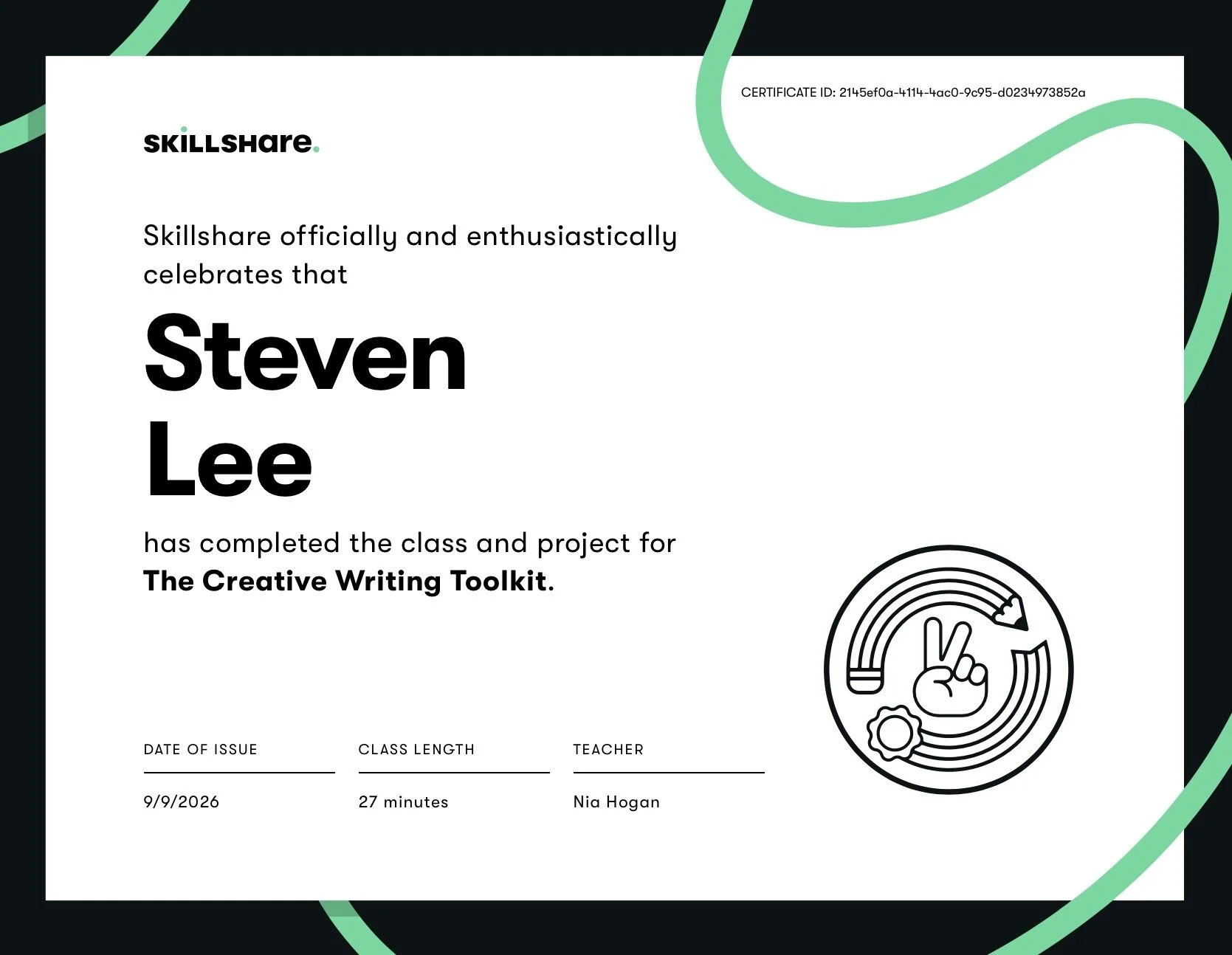
In September 2026, I took a short Skillshare workshop called THE CREATIVE WRITING TOOLKIT as taught by writer Nia Hogan. Specifically, the course introduced the concept of a writer's toolbox: a personalized curated set of inspirational, motivational, mentorship, educational, and correction resources that writers keep and update to support creative work and career growth. In short, the toolkit acts as an arsenal of fallback resources to help creative individuals in times when they may feel stuck. A toolkit can be tailored to both broad and specific project goals and aspirations.
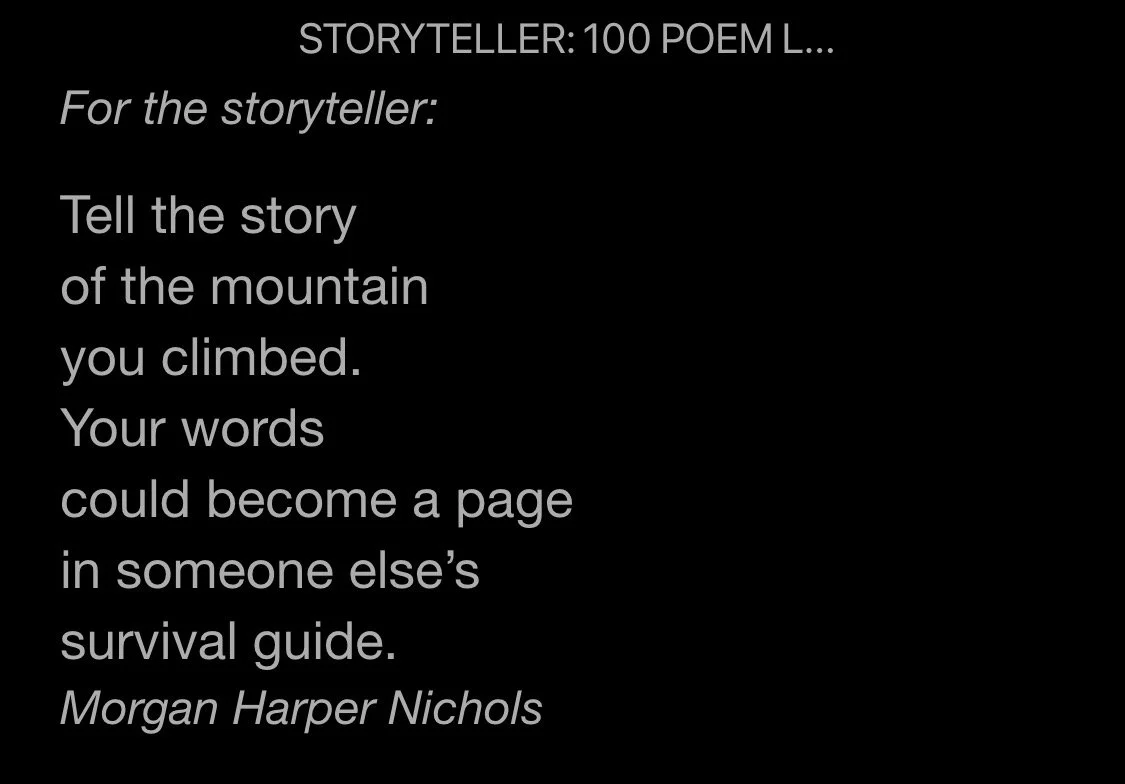
ARTIFACT 01 > Poem by Morgan Harper Nichols, from her book STORYTELLER.
This blog entry serves as a repository of notes and work I did while working through the course. I tailored my project to focus on my creative nonfiction writing such as the short memoir vignettes and photographs I post online as part of a project I call my subversive selfie project.
SECTION 1 - INSPIRATION
This section focussed on the idea of how one can generate ideas when inspiration is low.
Resources mentioned included:
The Creativity Portal — Generators tab: includes an Imagination Prompt Generator and 365 Pictures (adds 1 image/day) to spark ideas.
Positive Writer: blog posts + book links for inspiration.
Languages of Virus: interactive creative-writing games and Mad Libs–style generators.
Practical techniques for idea generation included:
Creating mood boards (e.g., Pinterest) to capture visual inspiration. This can help one keep a repository of images focussed on scene-mood phrases that can help jump-start descriptive writing.
Maintaining Lists / Brainstorming / Notebooks:
maintain a destination / activity wish list or field-guide locations for character experiences; and
keep a running list of inspiring books/films for a quick reference.
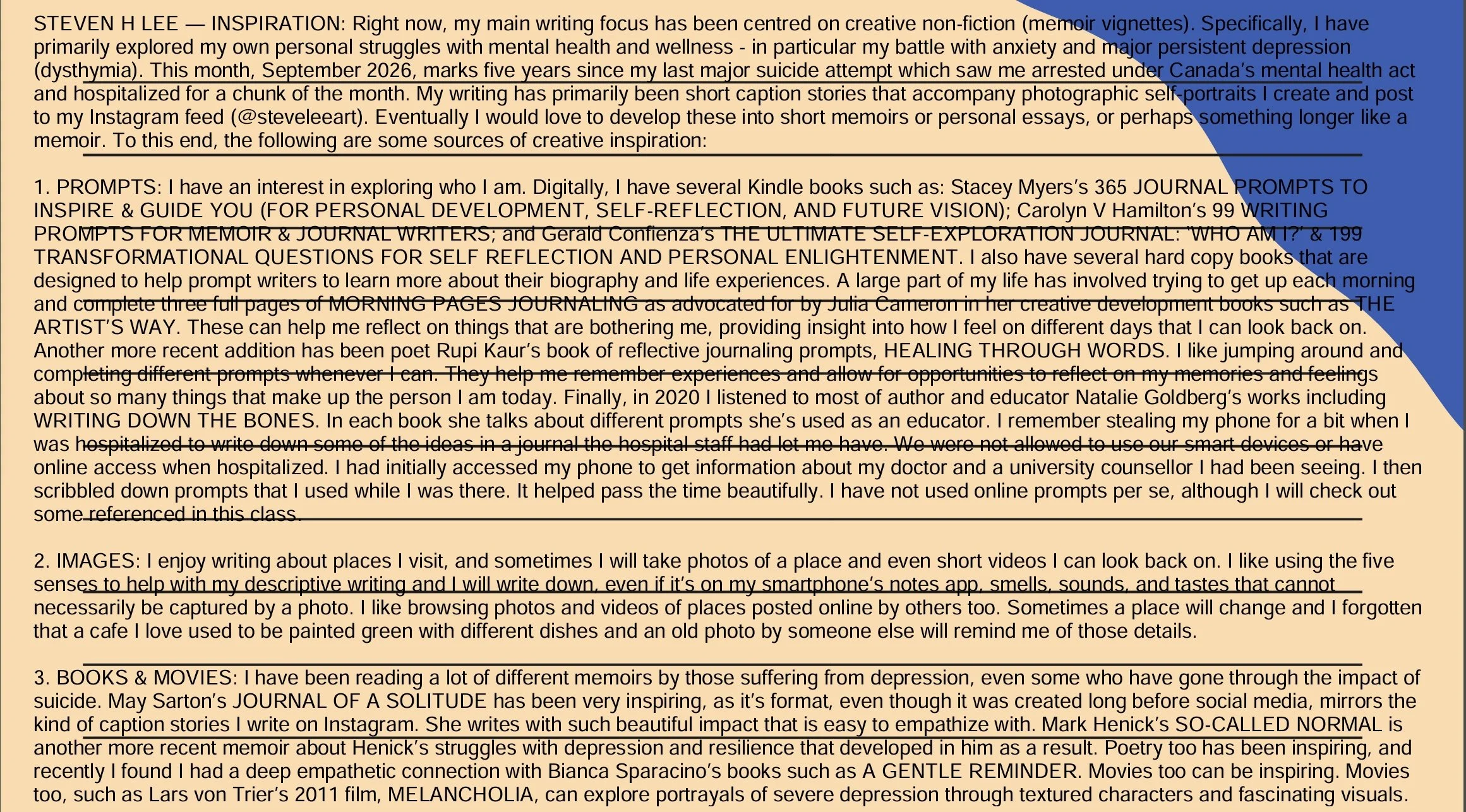
ARTIFACT 02 > COMPLETED WORKSHOP HOMEWORK SLIDE 1 for INSPIRATION
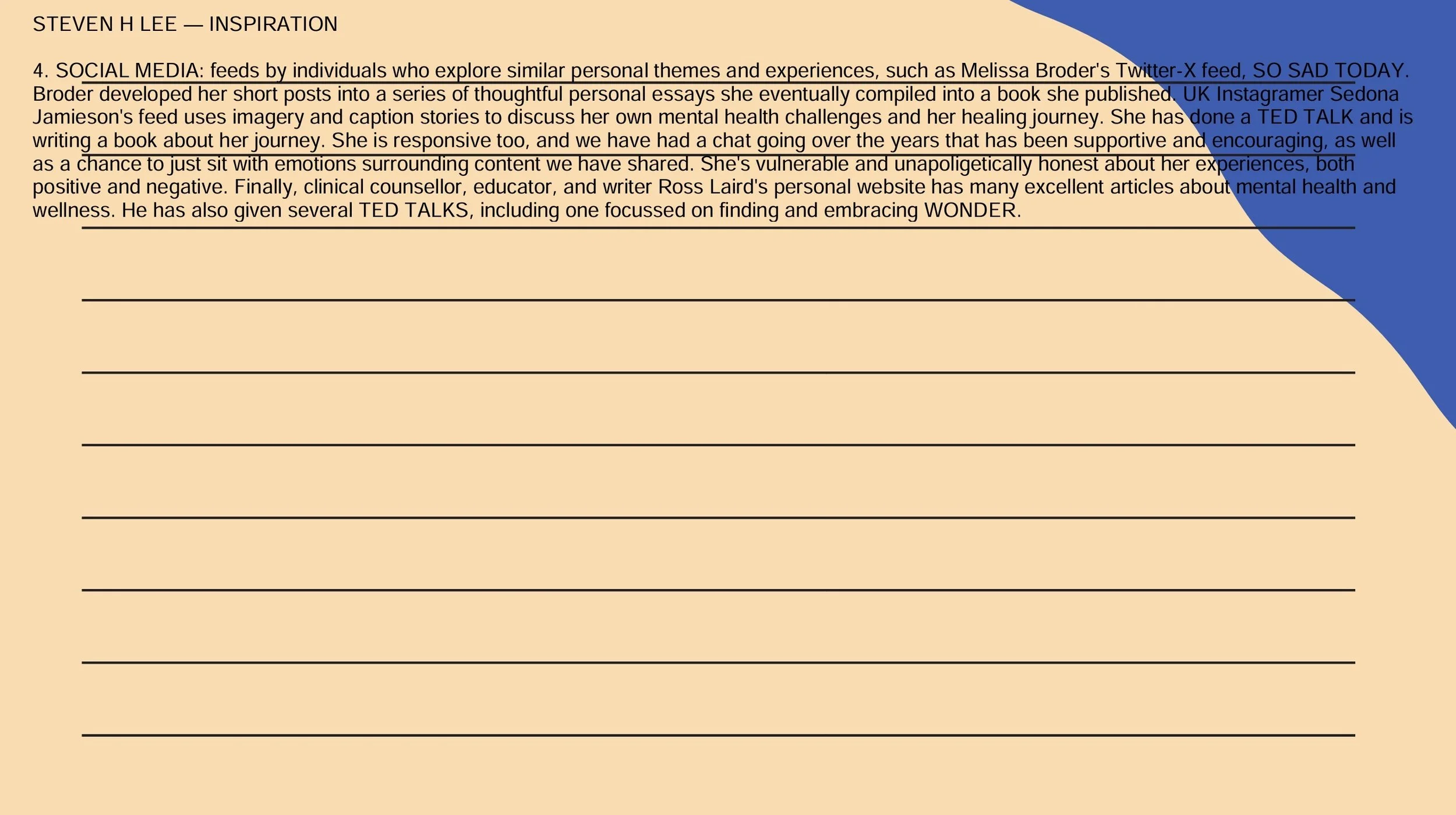
ARTIFACT 03 > COMPLETED WORKSHOP HOMEWORK SLIDE 2 for INSPIRATION
SECTION 2 - MOTIVATION
This section focussed primarily on the ideas of:
Intrinsic motivation = internal goals / values; as well as
Extrinsic motivation = external rewards / incentives.
Hogan encouraged learners to include a section for both motivation types in their toolkit project write up.
Intrinsic tips:
State short- and long-term writing goals to recall when unmotivated.
Ask: what makes voice feel worthy; what feels like success?
Extrinsic tips:
Build simple reward systems (not costly) that require discipline to work.
Example reward mechanics: punch card for consecutive writing days or word-count milestones; create badges for accomplishments.
Collect and save positive reviews/comments as a physical or digital morale folder or “wall of positivity.”
In regards to building community and competition, Hogan encouraged writers to:
Join writing challenges and competitions that fit genre/length; and
Find accountability partners and communities to avoid isolation.
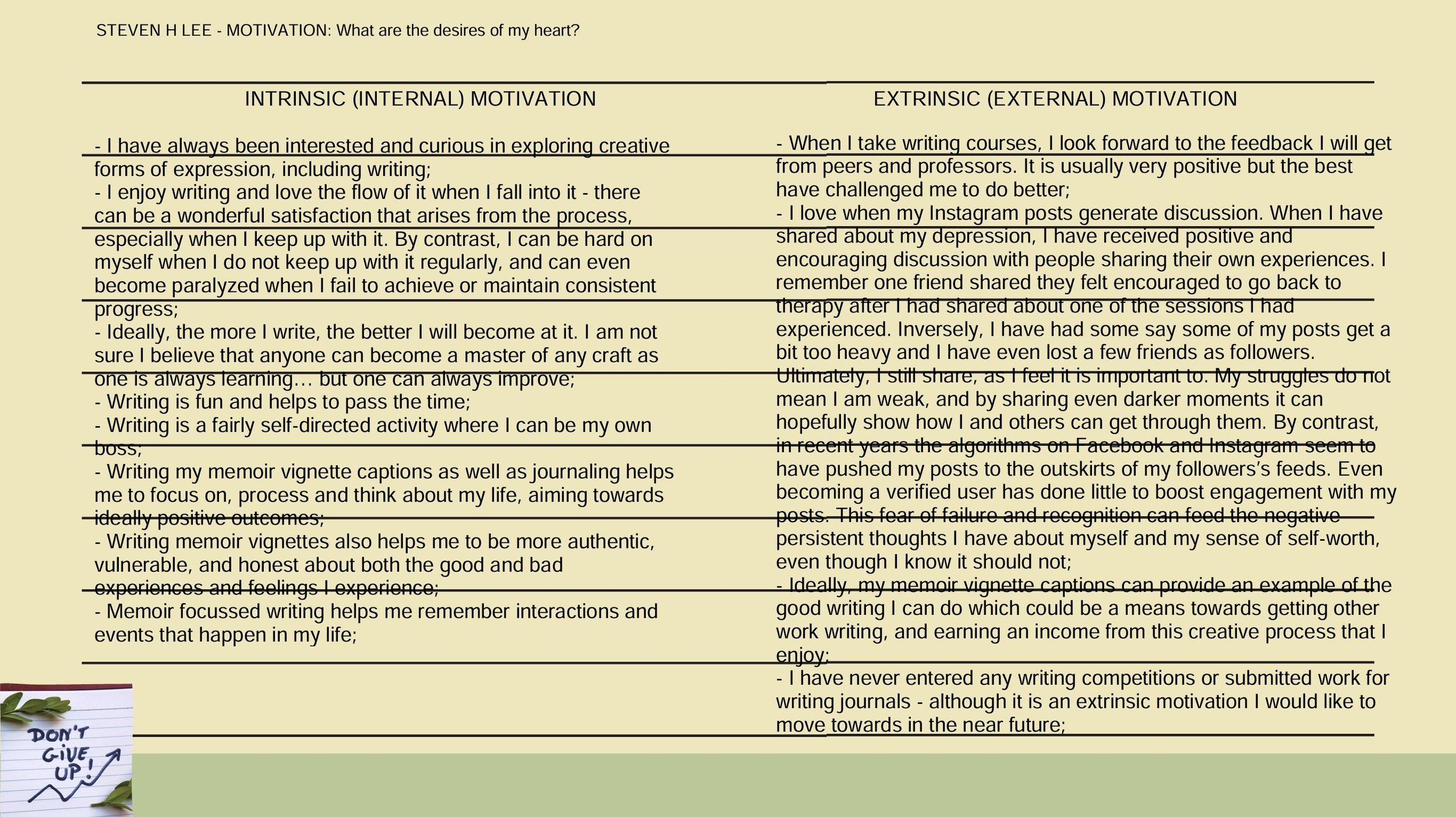
ARTIFACT 04 > COMPLETED WORKSHOP HOMEWORK SLIDE 3 for MOTIVATION
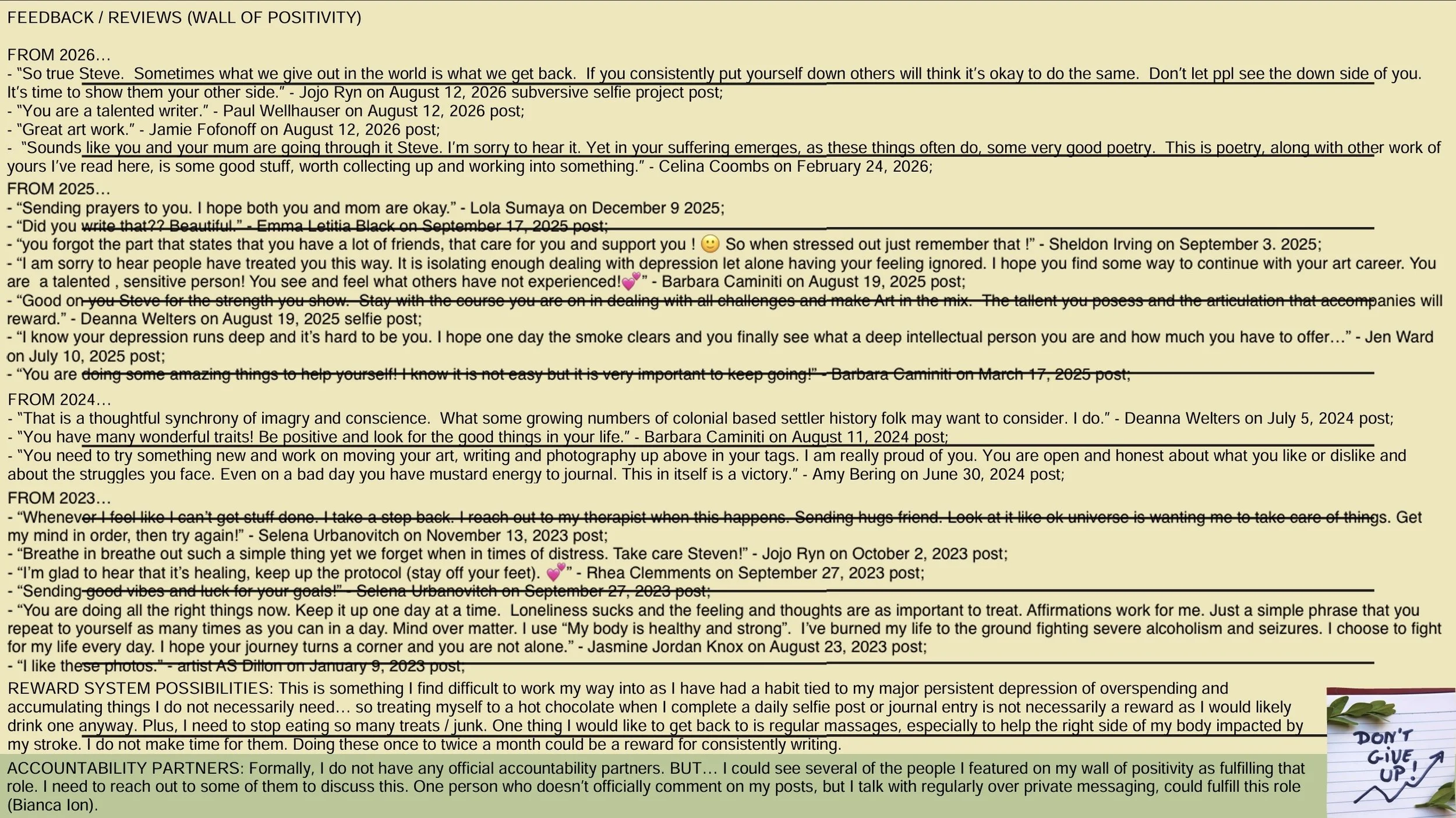
ARTIFACT 05 > COMPLETED WORKSHOP HOMEWORK SLIDE 3 for MOTIVATION
In 2022, for a 3rd year interdisciplinary expressive arts course I took at Kwantlen Polytechnic University, I completed an in-depth reflective assignment on my personality which includes items which could fall under the wall of positivity idea.
SECTION 3 - MENTORSHIP
Hogan noted how mentorship can be a both a formal person(s) and a compilation of tools / resources offering guidance for projects.
The benefits of mentorship includes the ongoing opportunity to learn from others' mistakes, adopt tried methods, and access professional connections. Hogan noted how mentorship offers no guarantees, but mentors often accelerate progress and reduce wasted time / money.
Practical steps:
Add mentor contact information or trusted-resource links to the toolkit;
List areas where advice or training is needed to target relevant mentors/resources; and
Subscribe to trusted authors' newsletters to receive ideas and resource links directly.
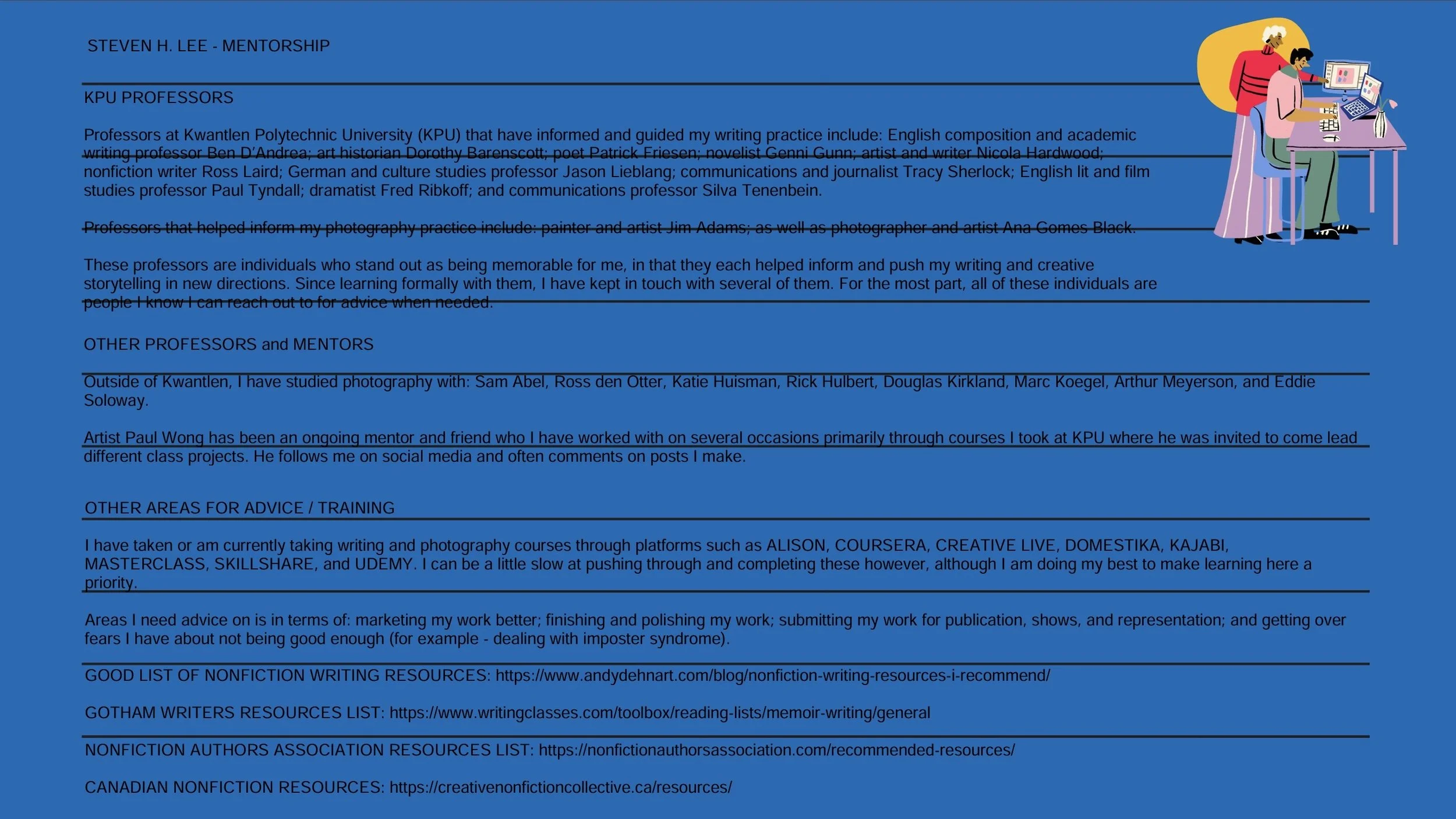
ARTIFACT 06 > COMPLETED WORKSHOP HOMEWORK SLIDE 4 for MENTORSHIP
The links included in ARTIFACT 06 above are as follows:
GOOD LIST OF NONFICTION WRITING RESOURCES: https://www.andydehnart.com/blog/nonfiction-writing-resources-i-recommend/
GOTHAM WRITERS RESOURCES LIST: https://www.writingclasses.com/toolbox/reading-lists/memoir-writing/general
NONFICTION AUTHORS ASSOCIATION RESOURCES LIST: https://nonfictionauthorsassociation.com/recommended-resources/
CANADIAN NONFICTION RESOURCES: https://creativenonfictioncollective.ca/resources/
SECTION 4 - EDUCATION
This section saw Hogan discuss the topic of lifelong learning - continuous learning that supports both a writer’s craft and their career. It’s always good to be open to learning about a variety of topics that inform ones ongoing knowledge of the craft of writing and to inform what one writes (for example, learning about a job a character does).
Suggested content types: books, workshops, courses, websites, podcasts, subscription services, articles, blogs.
Hogan notes how this can take shape by making a running document of materials that one works through, and to review and revise it regularly, at least quarterly.
Hogan had several recommended starting books that can help improve one’s writing (ratings noted where given), as follows:
99 Ways to Tell a Story — exercises in style (author: Matt Madden).
How to Tell a Story — The Moth and other authors (4.6★ on Amazon) for personal storytelling.
Stephen King — On Writing (4.7★ cited) — foundational craft book.
Save the Cat Writes a Novel — guide to story structure.
Jessica Brody — The Last Book You’ll Ever Need — highly rated on this list, strong on story structure.
Favorite website recommendation: Readzy.com (podcast episodes highlighted).
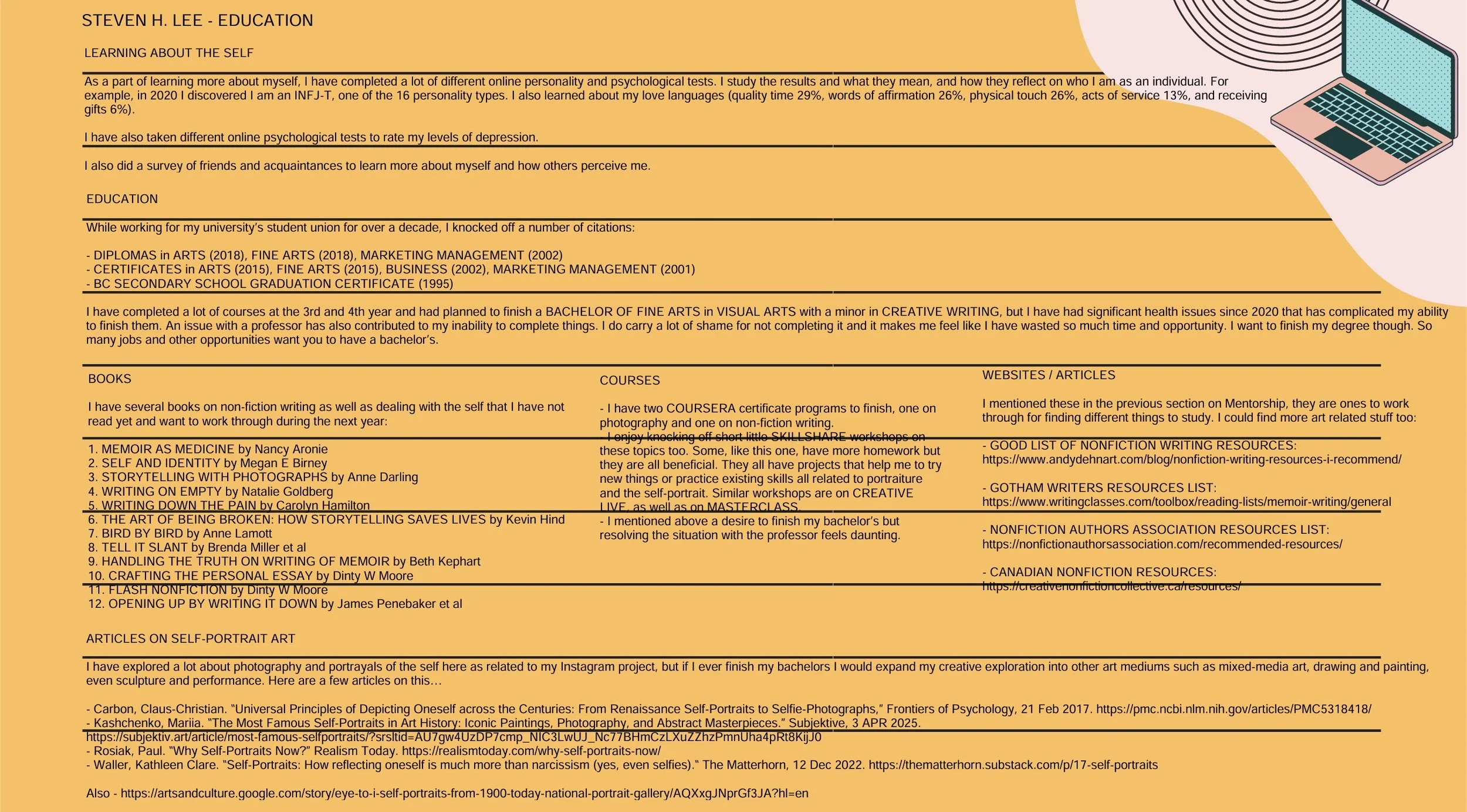
ARTIFACT 07 > COMPLETED WORKSHOP HOMEWORK SLIDE 5 for EDUCATION
The links included in ARTIFACT 07 above are as follows:
GOOD LIST OF NONFICTION WRITING RESOURCES: https://www.andydehnart.com/blog/nonfiction-writing-resources-i-recommend/
GOTHAM WRITERS RESOURCES LIST: https://www.writingclasses.com/toolbox/reading-lists/memoir-writing/general
NONFICTION AUTHORS ASSOCIATION RESOURCES LIST: https://nonfictionauthorsassociation.com/recommended-resources/
CANADIAN NONFICTION RESOURCES: https://creativenonfictioncollective.ca/resources/
Also,
Carbon, Claus-Christian. “Universal Principles of Depicting Oneself across the Centuries: From Renaissance Self-Portraits to Selfie-Photographs,” Frontiers of Psychology, 21 Feb 2017. https://pmc.ncbi.nlm.nih.gov/articles/PMC5318418/
Kashchenko, Mariia. “The Most Famous Self-Portraits in Art History: Iconic Paintings, Photography, and Abstract Masterpieces.” Subjektive, 3 APR 2025. https://subjektiv.art/article/most-famous-selfportraits/?srsltid=AU7gw4UzDP7cmp_NIC3LwUJ_Nc77BHmCzLXuZZhzPmnUha4pRt8KijJ0
Rosiak, Paul. “Why Self-Portraits Now?” Realism Today. https://realismtoday.com/why-self-portraits-now/
Waller, Kathleen Clare. “Self-Portraits: How reflecting oneself is much more than narcissism (yes, even selfies).“ The Matterhorn, 12 Dec 2022. https://thematterhorn.substack.com/p/17-self-portraits
Also -
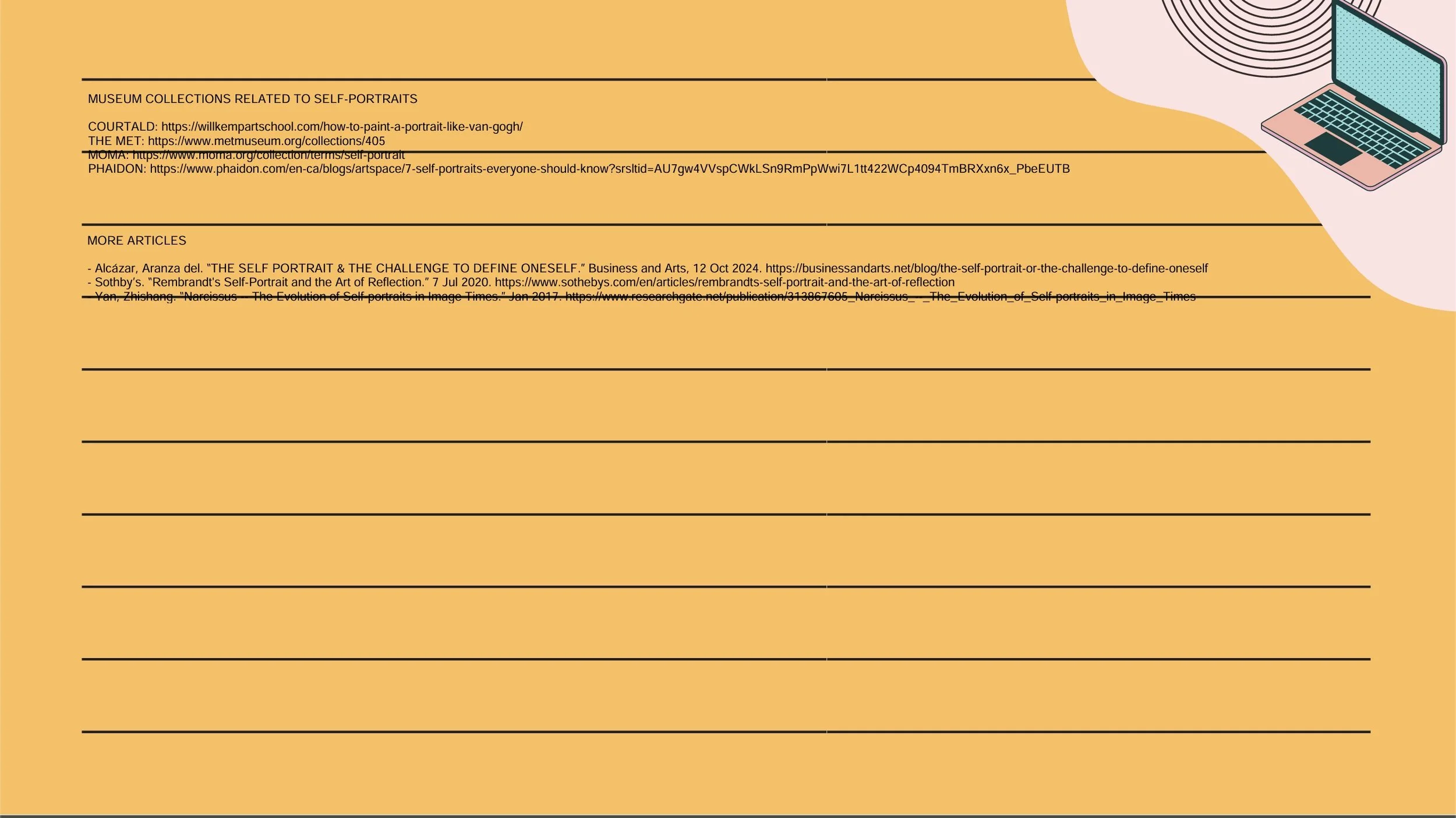
ARTIFACT 08 > COMPLETED WORKSHOP HOMEWORK SLIDE 6 for EDUCATION
The links included in ARTIFACT 07 above are as follows:
Also,
Alcázar, Aranza del. “THE SELF PORTRAIT & THE CHALLENGE TO DEFINE ONESELF.” Business and Arts, 12 Oct 2024. https://businessandarts.net/blog/the-self-portrait-or-the-challenge-to-define-oneself
Sothby’s. “Rembrandt's Self-Portrait and the Art of Reflection.” 7 Jul 2020. https://www.sothebys.com/en/articles/rembrandts-self-portrait-and-the-art-of-reflection
Yan, Zhishang. “Narcissus -- The Evolution of Self-portraits in Image Times.” Jan 2017. https://www.researchgate.net/publication/313867605_Narcissus_--_The_Evolution_of_Self-portraits_in_Image_Times
SECTION 5 - CORRECTIONS & EDITING
Hogan encourages writers to have an openness to feedback and the right editing tools to improve one’s writing quality.
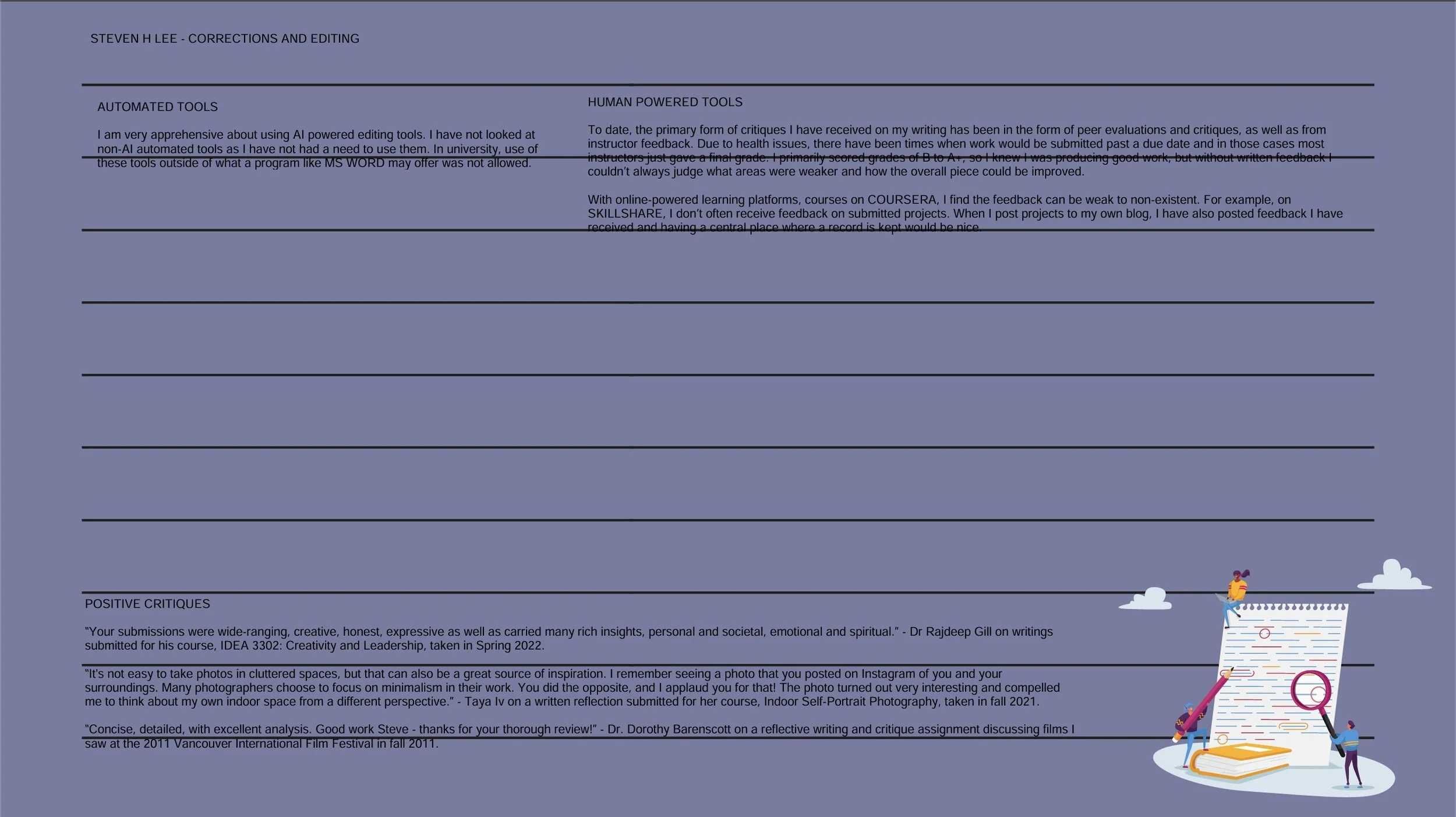
Categories: automated tools and human services.
Automated / AI-assisted tools discussed:
ProWritingAid: grammar, style, and writing package (free + affordable premium tiers).
Grammarly: daily-use tool with personalized AI guidance and paid plans for serious projects.
WordTune: AI rewrites to improve phrasing and diversify vocabulary; helpful for plot-critical sentences.
Hemingway App: simple self-editing tool that highlights readability issues.
Novel-writing/project tools:
Scrivener: formatting and organization software; trial available before purchase.
AutoCrit: fast self-editing focused on manuscript analysis; offers courses and blog resources.
Human-editing services:
Book Butchers: outsourcing editing to real editors; suitable for higher budgets.
Hogan encourages saving positive critiques and examples of improvement in the toolbox for morale.
SECTION 6 - CELEBRATE

Hogan discusses the importance of celebrating wins as a creative individual. To this end she discusses:
Creating a list of 10 free rewards + 5 paid rewards to celebrate goals.
How one should choose rewards that are meaningful and not routine (avoid rewards you would do regardless).
How to order rewards from least to greatest value as a progress bar visual.
The importance of also: sharing wins via social media; calling a writing friend; taking photos or screenshots; and publishing a blog post.